Multiple streams at once
A separate project for each stream, with capture controls and its own files. Practical capacity depends on your computer.
For stream clippers · GTA VI
Find the best moments while streams are happening. Turn hours of live content into clips for TikTok, YouTube Shorts and Reels — without watching every minute.
One-time payment
Source code included · Clipping community · Support
From stream link to MP4, follow the workflow in one place. Every stream gets its own project and clip gallery.
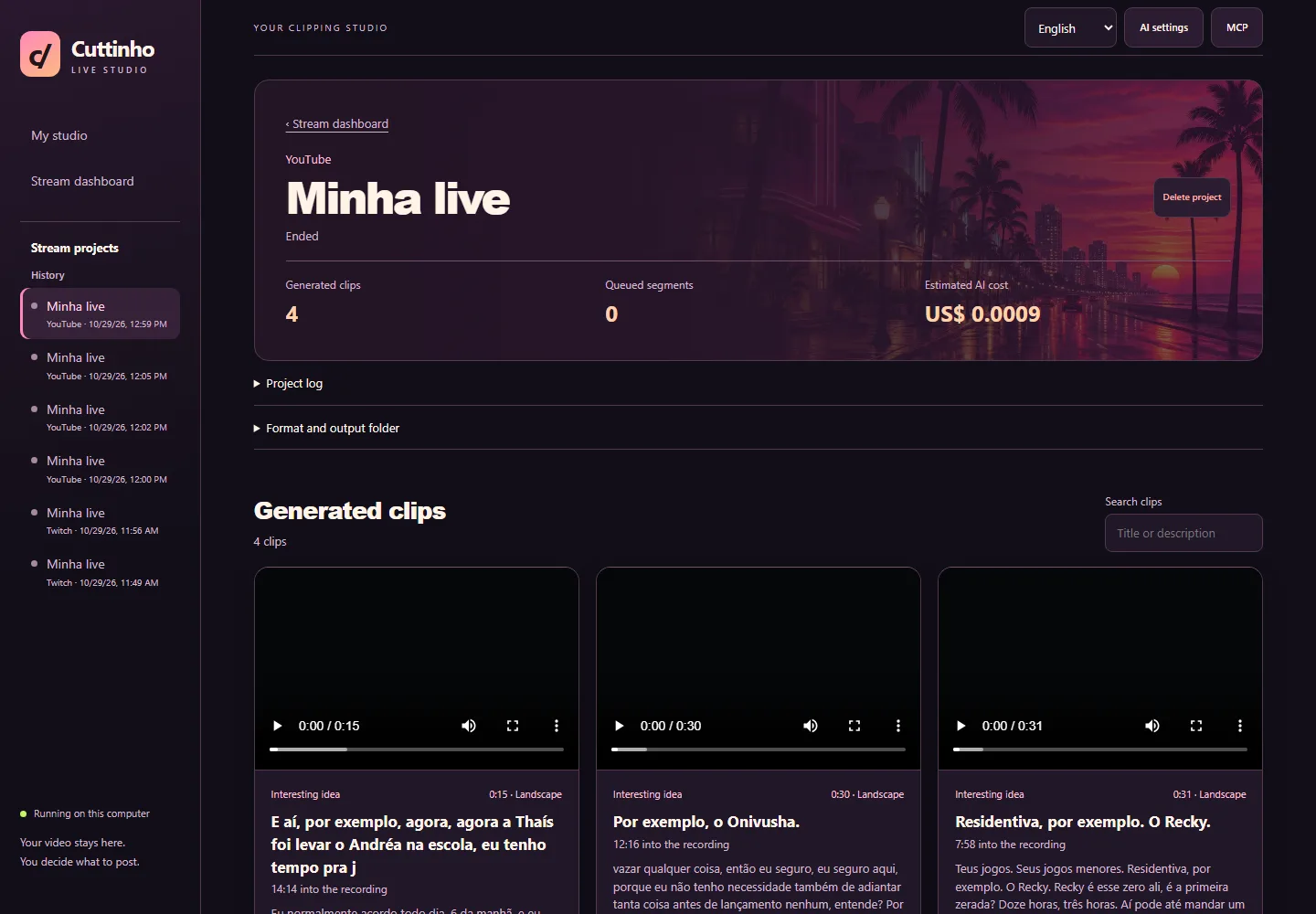
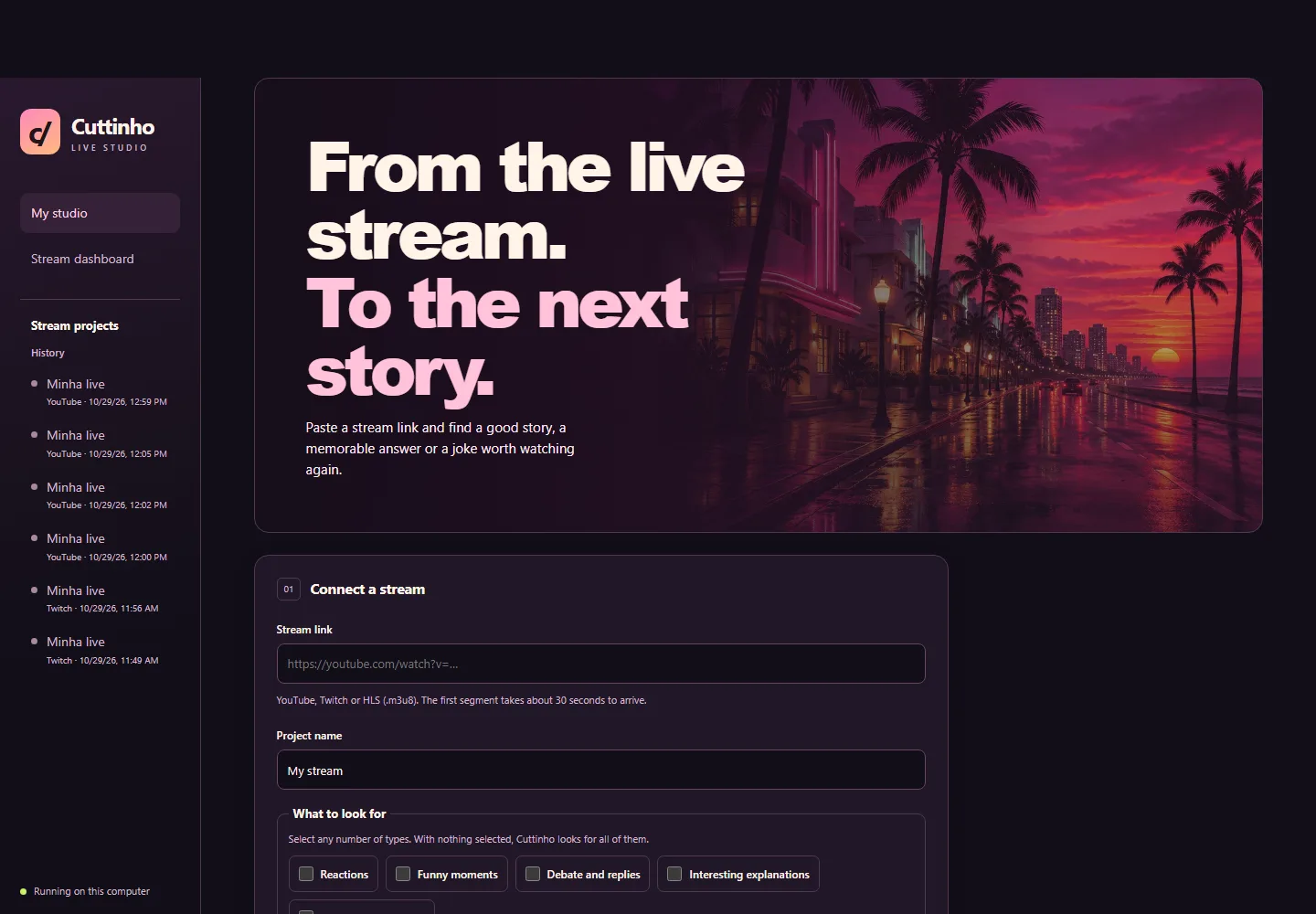 1. Paste a stream link.Connect a public YouTube or Twitch stream, or an HLS source.2. Choose your moments.Combine humor, reactions, debates, explanations and stories in the same stream.3. Watch your clips become ready.Review the gallery, download the MP4 and bring it to your editor.
Keep capture and selection together. Spend your time choosing what to post.
A separate project for each stream, with capture controls and its own files. Practical capacity depends on your computer.
Combine moment types and find up to three distinct clips per analysis window, depending on the content and selection filter.
Keep the full scene or use face framing for your vertical clips.
SRT and VTT files accompany the clip. You choose how to edit, style and use them.
Preview, download and error logs alongside each stream’s clips.
Copy the title and description available for each clip. Optional AI selection can also suggest the wording.
Capture and transcription run on your PC. Local selection uses cues in the text. GPT and Claude are optional, require your own key and may incur API costs. Selection depends on the content and needs review.
MCP integration
Connect Claude or Codex and make ready clips available with a title and local MP4 path, so you can continue in another tool.
Optional feature. Automatic notifications depend on client support. Further editing requires configuring your external tools. The setup guide is built into the app.
Explore and customize the source. Distribution includes AGPL-3.0 and the licenses of the bundled tools.
Join the group to exchange references, share clips and discuss your production workflow.
Installation and usage support through the contact provided with your purchase.
A kit for stream clippers
Payment confirmed, access unlocked to the installer, source code and community invitation.
BRL 39.90
One-time payment
Card payments via Stripe.
Cuttinho is a one-time purchase of BRL 39.90, charged in Brazilian reais. Optional AI API usage is billed by the provider to your own account.
You can start in local mode. For GPT or Claude selection, add your own key with access to the configured model and set a session budget.
The app captures accessible public streams. Private channels, restrictions, ads or platform changes may prevent or interrupt capture. Use streams you have permission to process.
Yes. Each stream becomes an independent project. Practical capacity depends on your CPU, memory, disk and internet connection.
The installer supports Windows x64, starting with Windows 10. Capture and processing use your computer, which needs to stay on.
Yes. Your purchase includes the source to study and customize under AGPL-3.0 and the component licenses.
You review, download and publish your clips to your chosen platforms. Connect MCP to an external tool for further agent-assisted editing.
Once payment is confirmed, the page unlocks the installer, source ZIP, community invitation and support contact. You can also use View my purchase in the same browser.